
Why Browser-Based PDF Tools are Safer Than Cloud Uploads
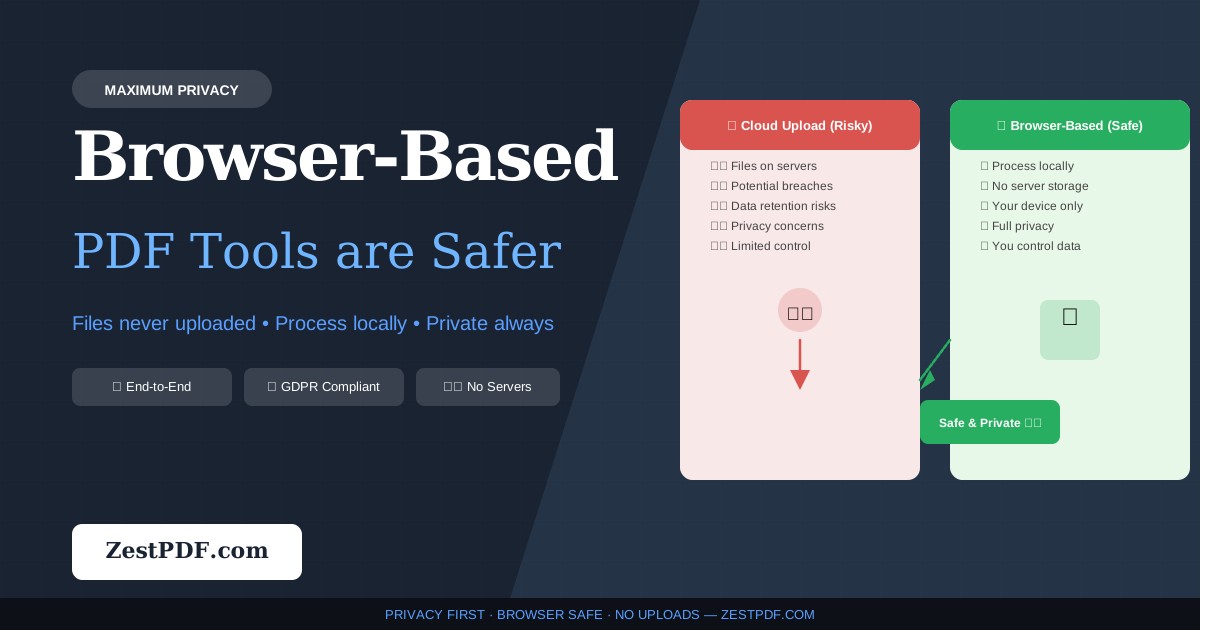
In the modern digital workplace, PDF documents are the standard format for sharing reports, invoices, contracts, and sensitive personal identification. However, the convenience of online PDF editors comes with a hidden security trade-off. Traditional cloud-based PDF tools require you to upload your files to their external servers for processing. This transmission exposes your confidential documents to intercept threats, server-side data leaks, and third-party tracking.
Fortunately, a new architectural paradigm is transforming document processing: client-side browser-based processing. By leveraging modern technologies like WebAssembly, HTML5 APIs, and local JavaScript, tools can now manipulate PDFs directly within your web browser.
In this comprehensive guide, we explore why browser-based PDF tools are the safest option for managing your sensitive files.
The Security Vulnerabilities of Cloud-Based PDF Tools
When you upload a document to a traditional online PDF compressor or merger, a series of security vulnerabilities are introduced:
- Data in Transit Exposure: Even with HTTPS encryption, transmitting files over the internet increases the surface area for interception. If an endpoint is misconfigured or a local network is compromised, your files are at risk.
- Server-Side Breaches: Cloud servers are prime targets for malicious actors. If the platform hosting the PDF tool experiences a database breach or server compromise, any documents currently stored or cached on their filesystem could be exposed.
- Retention Policies and Logging: Many online tools cache uploaded files temporarily to allow downloads. Even if they claim to delete files after 30 minutes, there is no way to verify if backups, diagnostic logs, or temporary caches still hold fragments of your files.
- Third-Party Processing Pipelines: Many web tools rely on APIs of other back-end companies to run their conversion scripts. When you upload a file, it might not just sit on one server—it may be forwarded to a third-party vendor, compounding the data governance risk.
How Client-Side Browser Processing Works
Rather than moving your data to the code, browser-based tools move the code to your data.
Here is what happens under the hood when you use a browser-based PDF tool:
- Local Sandbox Execution: The website loads lightweight execution packages (often built with WebAssembly compiled from languages like C++ or Rust) directly into your browser's sandboxed environment.
- In-Memory Processing: When you select a PDF file, your browser reads the document from your disk directly into its local RAM. The WebAssembly modules perform operations like merging, rotating, or compressing in-memory.
- Zero Server Traffic: During this entire process, no network requests containing your file payload are sent. The network tab in your browser's developer tools remains completely clean of file upload operations.
- Local Download: The newly generated PDF is compiled into a local blob link, allowing you to save it directly from your browser memory back to your hard drive.
Key Benefits of Local PDF Processing1. Absolute Document Privacy and Confidentiality
Since your documents are never uploaded, they cannot be intercepted, scanned, or used for machine learning training models. This is particularly crucial for industries like legal, medical, and financial services that operate under strict non-disclosure obligations.
2. Elimination of Bandwidth Hurdles
Uploading massive multi-gigabyte PDFs to a remote cloud server is slow and bandwidth-intensive, especially on mobile networks or slower home connections. With local browser processing, execution starts instantly. Your speed is only limited by your device's CPU, bypassing internet queue bottlenecks entirely.
3. Compliance by Default (GDPR, HIPAA, and CCPA)
Under regulations like the EU's General Data Protection Regulation (GDPR) and the California Consumer Privacy Act (CCPA), businesses must know exactly where personal information is processed and stored. Browser-based tools automatically conform to these strict standards because no data transfer occurs. Your business maintains full physical custody of the data.
Evaluating PDF Tool Security: What to Look For
To ensure that an online tool is actually performing all tasks locally, you can use these simple verification checks:
- Developer Tools Audit: Right-click the page, open your browser's Developer Tools, go to the Network tab, and upload a file. If you do not see any POST request carrying massive file bytes, the tool is operating client-side.
- Offline Capability: A true client-side tool can process your documents even if you disconnect from the internet after loading the page. Test it by going into airplane mode and clicking "Process"—it should still generate your output!
- Terms of Service Transparency: Ensure the tool's privacy policy explicitly states that processing occurs client-side and that file upload paths do not exist.
Conclusion
The era of uploading sensitive personal and corporate documents to unknown servers just to rotate a page or compress a file is coming to an end. Browser-based processing represents a massive leap forward for data security, offering a zero-trust environment that is fast, reliable, and private.
At ZestPDF, our entire platform is engineered around these zero-upload principles. Try our suite of local tools today and experience maximum processing speed with absolute document privacy.